Case study · In progress
AI assistant redesign
Redesigning the Leasehold Advisory Service's AI assistant, so people get answers they can check, know when to double-check them, and reach a real person when the AI can't help.
- Client
- Leasehold Advisory Service (LEASE)
- Engagement
- Indie Creative, 2026
- My role
- UX consultant
- Focus
- Conversation design, trust, accessibility
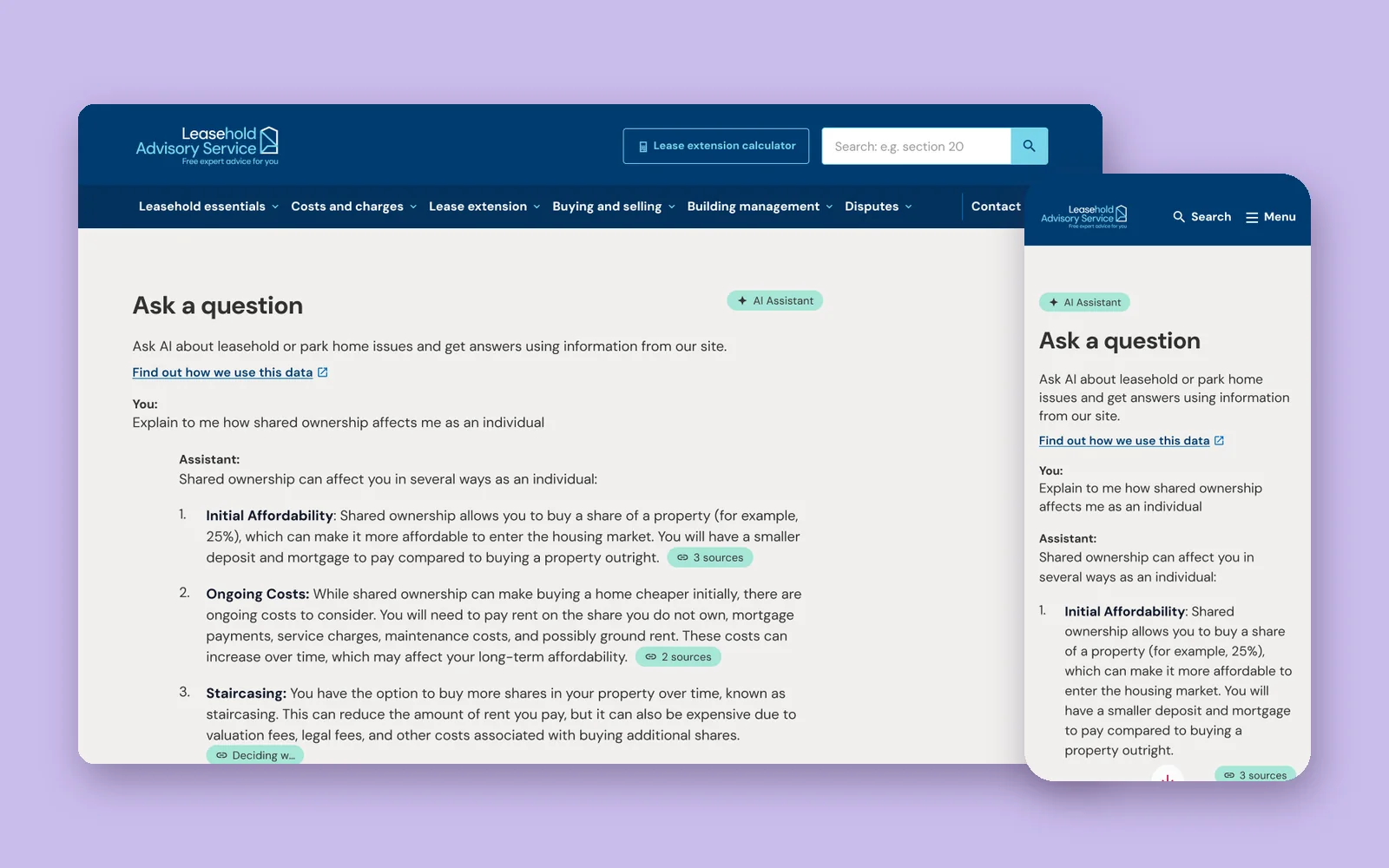
The brief
A complete redesign: the conversation flow and its edge cases, the layout and visual design, what happens after the conversation (follow-up, next steps and signposting), and specs the team could build with their existing AI tools.
When the topic is someone's home, a confident wrong answer does real harm. So trust, and honesty about what the assistant can and can't do, sat at the centre of it.
Before and after
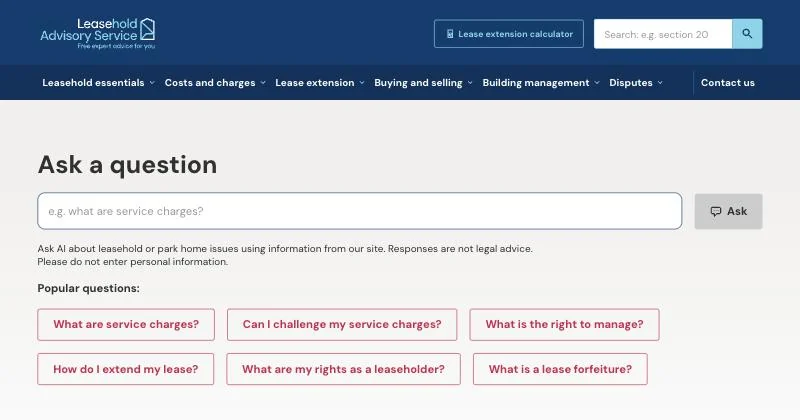
Both versions answer the same question: "How do I extend my lease?" The redesign keeps what works, like suggested follow-up questions, and changes how people can check and act on an answer.
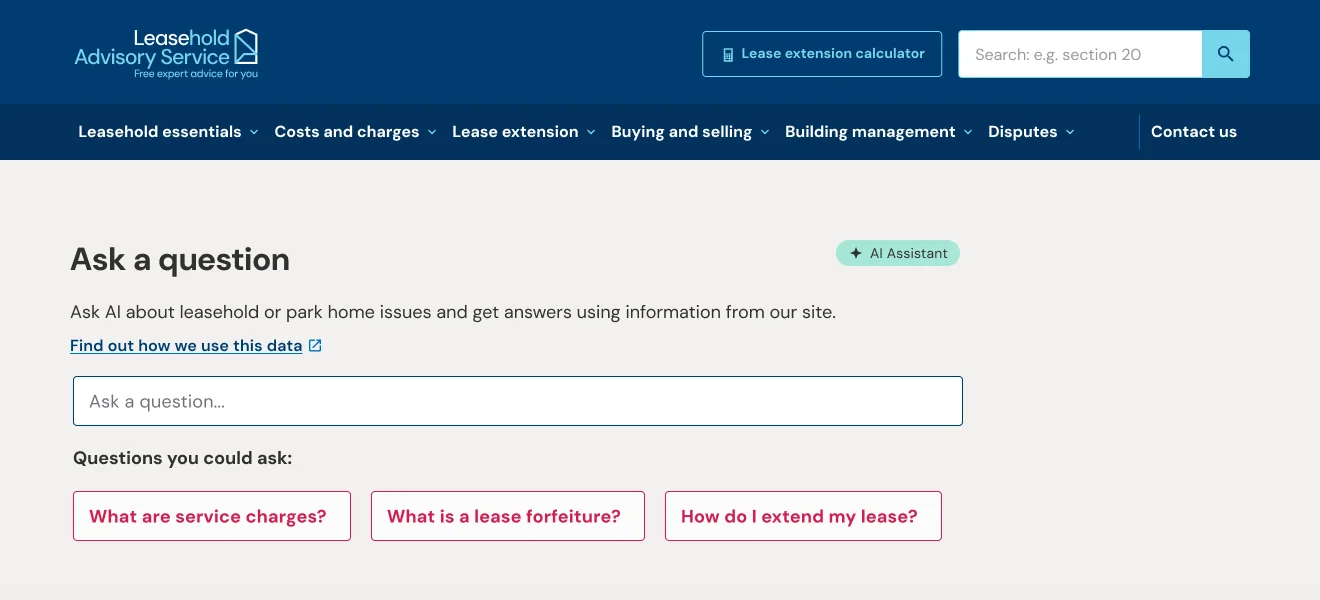
The first screen.
Designed to be checked
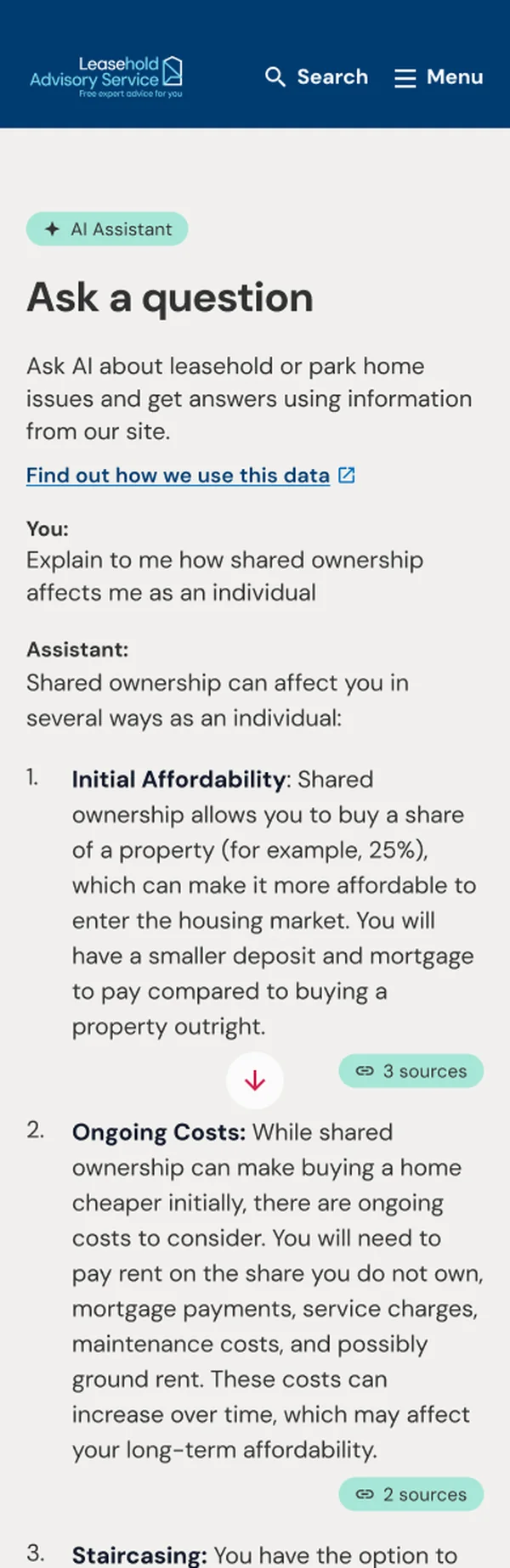
- It says it's AI. An "AI Assistant" label sits beside the page title, with a line saying answers come from information on the LEASE site, and a link explaining how the data is used.
- Two clear voices. Every turn is labelled "You" or "Assistant", and answers are indented so they're easy to tell apart.
- Answers are broken into numbered points, each with its own source chip or a link to the LEASE guide it came from.
- The warning stays. "AI Assistant can make mistakes" appears under every answer, not just the first one.
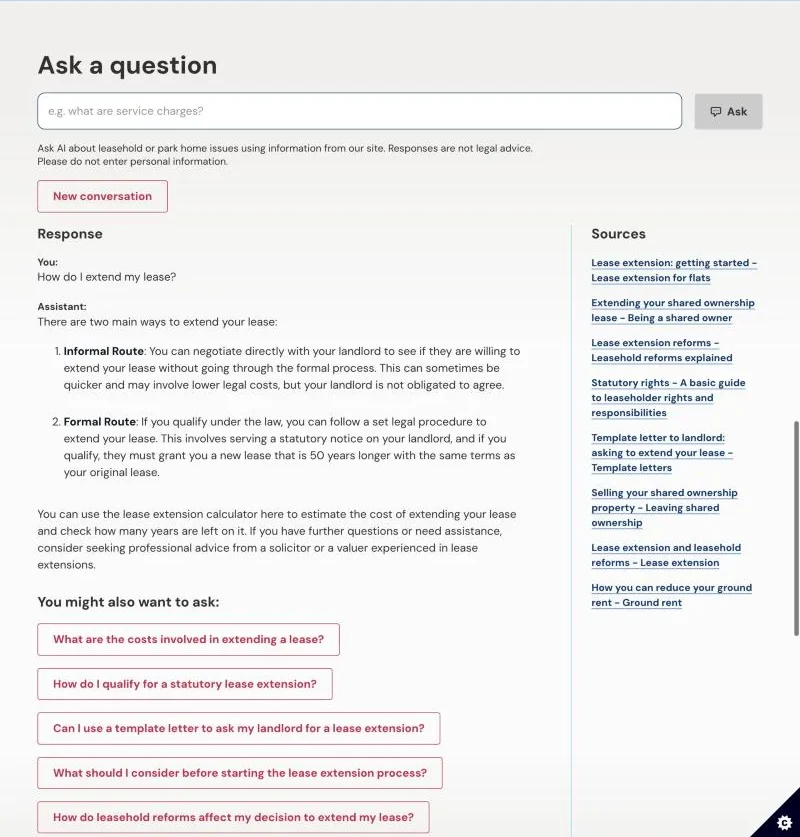
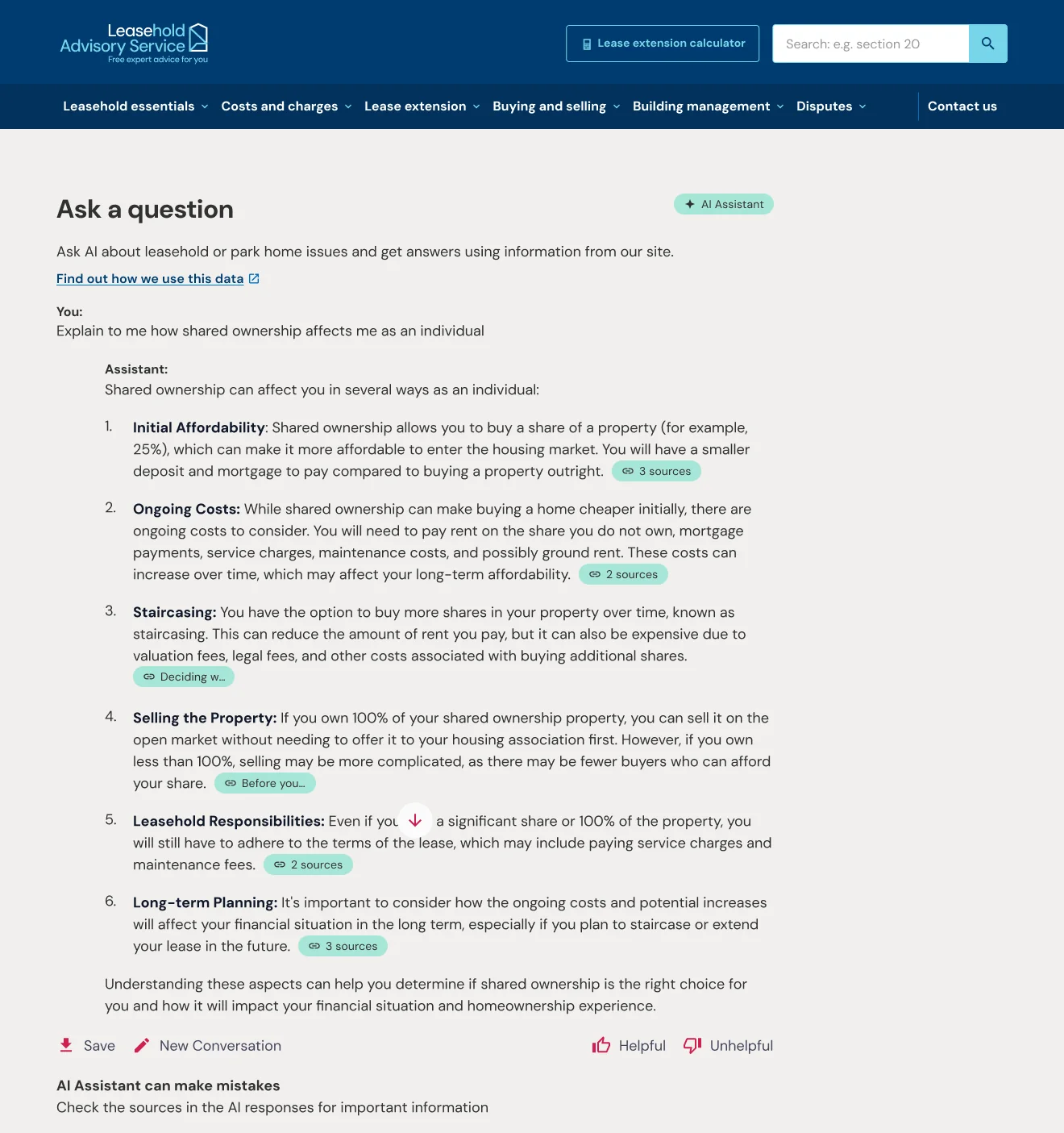
The order of an answer page. On the live site the question box comes first, then New conversation, then the answer, with its sources in a separate column. In the redesign the conversation comes first. Each answer carries its own sources, then the actions, the warning and suggested questions, with the question box underneath so the next question follows on naturally.
When it doesn't know
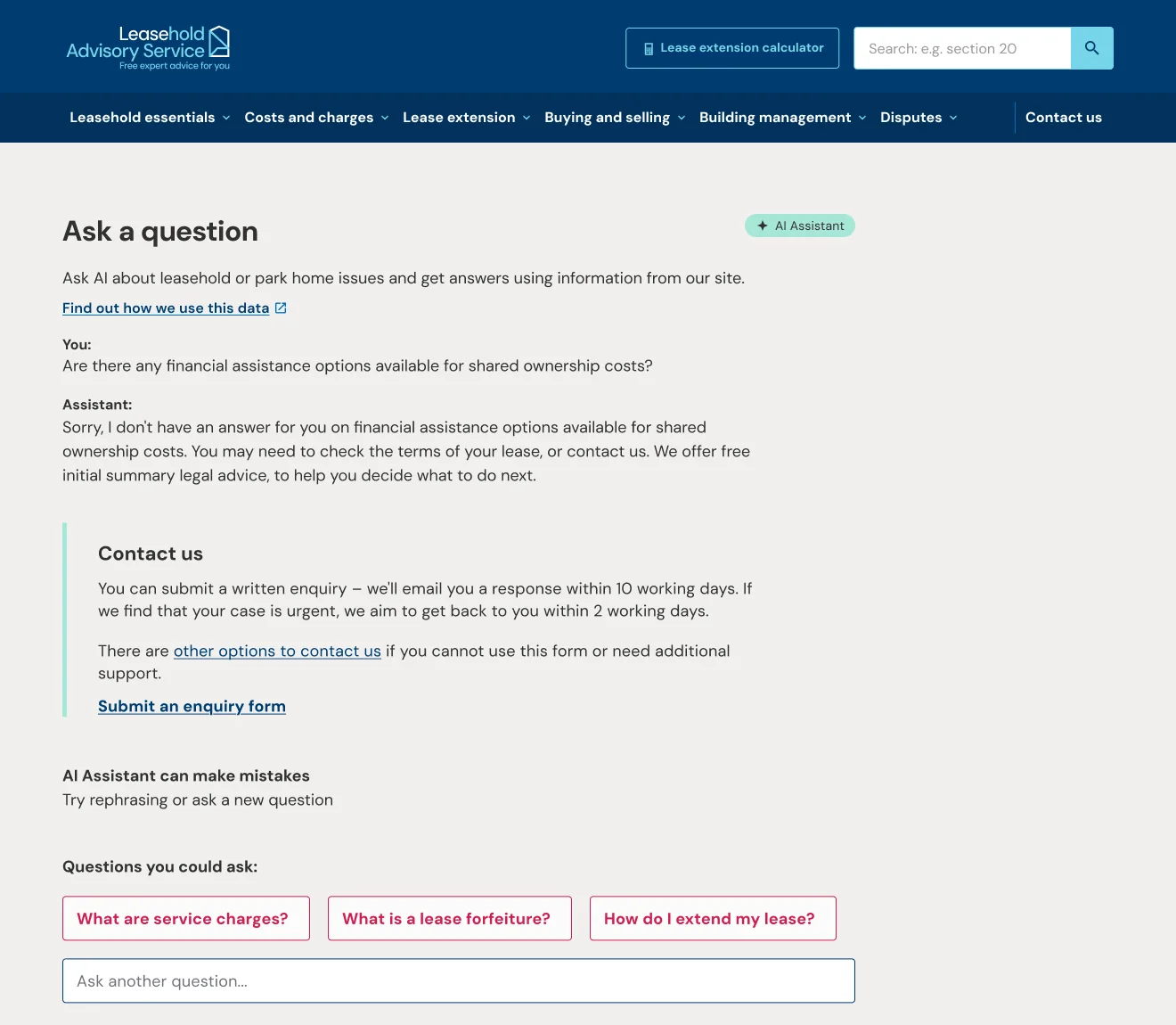
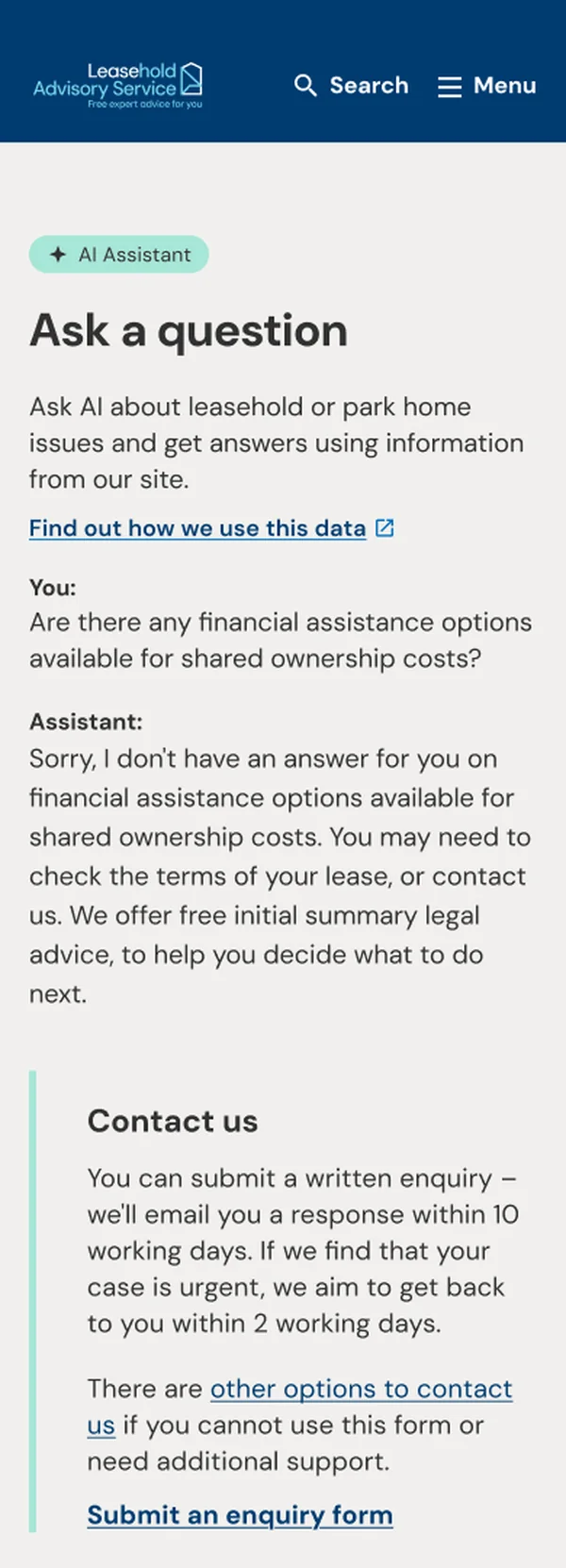
Two of the six conversation states are unhappy paths. If the assistant can't answer, it says so plainly instead of guessing, then hands over to people who can help.
- A straight "Sorry, I don't have an answer for you", followed by what to try next.
- A Contact us panel with LEASE's free initial legal advice, response times, and a button to submit an enquiry.
- The warning changes to suggest rephrasing the question, and the suggestions reset to questions it can answer.
- The same handover works mid-conversation, after a follow-up question it can't answer.
Somewhere to go next
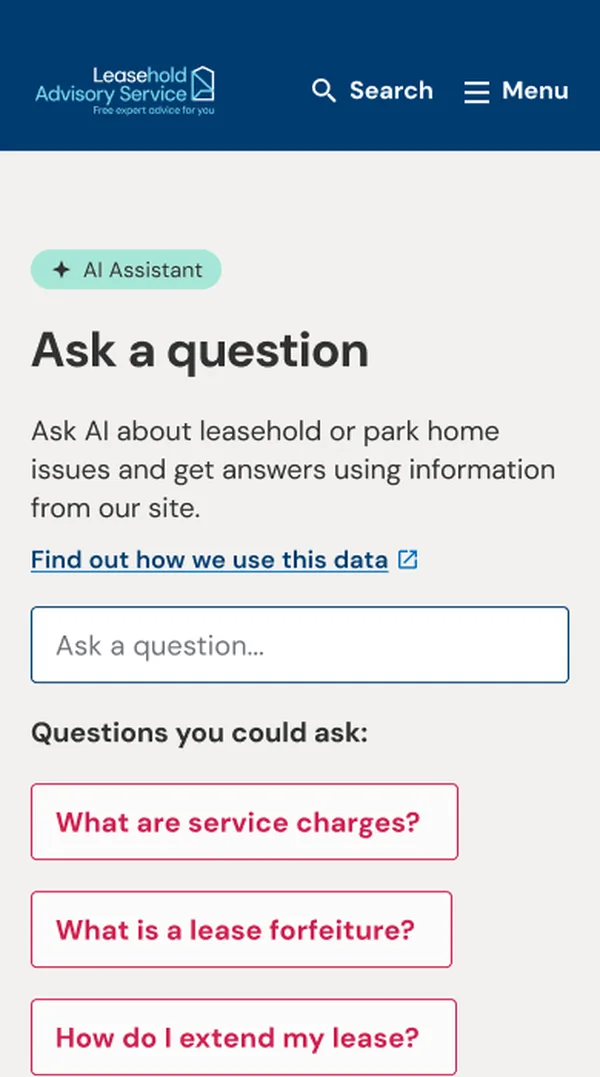
- Starter questions on the first screen, so nobody has to face an empty box.
- Suggested follow-up questions under each answer.
- Save an answer, or start a new conversation.
- Helpful and Unhelpful feedback on every answer.
Every state, every screen
- Screen readers hear each answer once it's complete, not word by word as it arrives.
- A jump-to-latest button appears when the newest answer is off screen.
- The assistant's parts are documented in the LEASE component set, so they can be built consistently, or removed cleanly if plans change.
Where it's at
In a second round of design, and not on the live site yet. Results will go here once it's live and measured.